
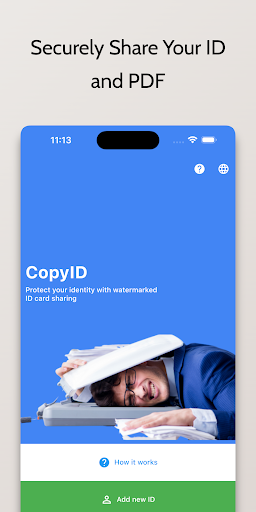
CopyID: Securely Share Your ID

CopyID: Securely Share Your ID

by AlshamlApps

Android application CopyID: Securely Share Your ID screenshot

CopyID: Securely Share Your ID

Welcome to CopyID, the app that helps you protect and share your ID cards with watermarks.
Safeguard your personal information with ease using the following instructions:1.
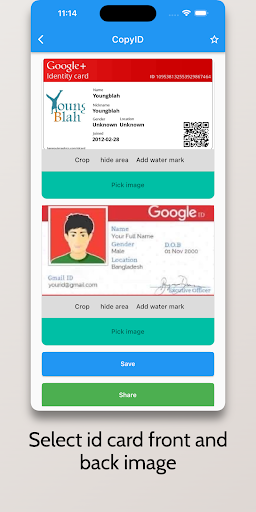
**Capturing and Watermarking ID Cards:** Start by tapping the Capture button to use the in-app camera and take a photo of your ID card.
Once captured, you can add a custom text watermark and date to the image.
Edit the text and date fields as needed and adjust the watermarks position, size, and transparency.
Safely apply the watermark by tapping Apply.2.
**Sharing Watermarked ID Cards as PDF:** Head to the Share tab to share your watermarked ID cards.
Select the desired card from your collection and tap the Share as PDF option.
Youll have various sharing methods to choose from, such as email, messaging apps, or other platforms.
The watermarked ID card will be converted to a PDF, ensuring compatibility and maintaining security during sharing.3.
**Viewing and Re-sharing Previously Captured ID Cards:** In the Gallery tab, access all your previously captured ID cards.
Tap on any card to view it in detail.
To conveniently share a previously captured card, select the Share option.
This allows you to share cards with others without the need to capture them again.4.
**Managing Watermarked ID Cards:** The Gallery tab also offers options to manage your watermarked ID cards.
Select the Delete option to remove any unwanted cards.
This feature helps keep your collection organized and easily accessible.Thank you for choosing CopyID to protect and share your ID cards with confidence.
We prioritize a user-friendly experience while ensuring the security of your personal information.

About CopyID: Securely Share Your ID

Package name (App ID)
com.app.copyid
Available on
Google Play
Price
Free
Developer
AlshamlApps

Looking for the CopyID: Securely Share Your ID APK?

The safest way to get CopyID: Securely Share Your ID (com.app.copyid) on your Android device is to install it directly from Google Play — you'll always get the latest official version, automatic updates, and no risk of modified or infected APK files from third-party sites.

Get it on Google Play
Features
👥

Social Features

Connect and share with friends and the community.

📸

Camera Features

Advanced camera features with editing capabilities.

🍽️

Food & Dining

Discover recipes and order food from your favorite restaurants.

Screenshots

See CopyID: Securely Share Your ID in Action
CopyID: Securely Share Your ID Screen 1
CopyID: Securely Share Your ID Screen 2
CopyID: Securely Share Your ID Screen 3
FAQ

Frequently Asked Questions

Is CopyID: Securely Share Your ID free?

Yes, CopyID: Securely Share Your ID is free to download and install on Android through Google Play.

How do I install CopyID: Securely Share Your ID on Android?

Open Google Play on your Android phone or tablet, search for CopyID: Securely Share Your ID by AlshamlApps or tap the Google Play button on this page, then tap Install. The app downloads and installs automatically.

What is com.app.copyid?

com.app.copyid is the App ID (package name) of CopyID: Securely Share Your ID on Google Play. Every Android app has a unique package name, and it is the safest way to verify you are installing the official app.

Is CopyID: Securely Share Your ID safe to download?

Installing CopyID: Securely Share Your ID from Google Play is the safest option: you get the official version published by AlshamlApps, verified by Google Play Protect, with automatic updates. Avoid APK files from unofficial third-party sites.

CopyID: Securely Share Your ID

Get CopyID: Securely Share Your ID Today

CopyID: Securely Share Your ID for Android — free download on Google Play.

Get it on Google Play

Compatible with Android phones and tablets — available on Google Play.

Love this app?

Share it with friends and family on your favorite social network.

Ask AI about this app

Get instant answers about features, tips and more from popular AI assistants.